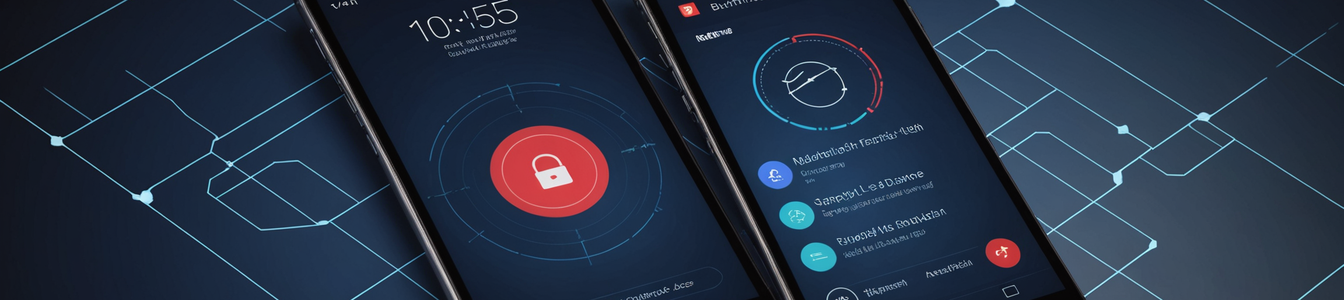
The evolution of smartphone lock screens from simple security barriers to dynamic information hubs represents a paradigm shift in user convenience—and a growing vector for physical security threats. Recent feature introductions, such as Google Wallet's live flight tracking notifications that display real-time boarding information directly on Android lock screens, highlight a critical tension between utility and vulnerability. When combined with persistent status indicator dots that signal active microphone, camera, or location services, these conveniences create a perfect storm for surveillance, enabling everything from opportunistic 'shoulder surfing' to coordinated tracking campaigns.
The Anatomy of a Lock Screen Leak
Google's implementation of live updates in Wallet exemplifies the risk. The feature automatically surfaces flight details—airline, flight number, departure time, gate, and boarding status—on the lock screen without requiring device unlock. For travelers, this eliminates friction. For a malicious observer in an airport lounge, it provides a wealth of targeting information. Knowing someone's imminent departure, exact flight, and gate creates opportunities for social engineering ('Hi, I'm from the airline, there's an issue with your booking'), physical tracking, or even theft timing when the target is preoccupied with boarding.
This is not an isolated case. Operating systems increasingly use the lock screen as a canvas for widgets showing calendar appointments, message previews, ride-share details, and package deliveries. Each data point reduces privacy in public settings. The threat is compounded by status indicator lights (small colored dots on iOS and Android) that show when the camera, microphone, or location is actively being accessed. While designed as privacy features to alert users to background app activity, these indicators can also signal to an outsider when a device is most vulnerable or engaged in sensitive tasks.
Threat Models: From Opportunistic to Targeted
Security professionals must consider multiple threat models:
- Opportunistic Shoulder Surfing: The most common risk. In crowded spaces—public transit, coffee shops, security lines—anyone can glance at a nearby screen. Visible flight details can facilitate baggage theft or identity inference. A visible corporate calendar entry can reveal confidential meeting subjects or client names.
- Facilitated Tracking: Live information enables persistent tracking. A stalker or corporate espionage actor could note a target's frequent flyer information from a lock screen, then use public flight tracking tools to monitor their travel patterns long-term. Real-time gate change notifications allow an adversary to adjust their physical positioning in real time.
- Context-Aware Social Engineering: The specificity of lock screen data makes phishing and pretexting more convincing. An attacker knowing your exact flight number can impersonate airline staff with high credibility. A visible delivery notification enables fake 'courier' scams.
- Sensor Status Intelligence: The status dots provide operational intelligence. An orange dot (microphone active) might indicate a voice call or recording, suggesting the user is distracted. A green dot (camera active) could mean a video call, signaling a poor time for physical intrusion. To a sophisticated attacker, these signals help choose the optimal moment for an attack.
The Broader Ecosystem and Default Settings
The problem is systemic. Device manufacturers and app developers prioritize seamless experiences, often enabling these features by default. Parental control guides, like those recommending lock screen restrictions for children's devices, acknowledge the exposure risk but mainstream consumer education lags. The assumption that a lock screen 'locks' information is increasingly outdated.
Furthermore, the integration depth exacerbates the issue. These live updates often pull from multiple sensitive data sources—email for boarding passes, calendars for appointments, messaging apps for codes—and consolidate them into a single, vulnerable display layer. A compromised lock screen effectively bypasses app-level security measures.
Mitigation Strategies for Organizations and Individuals
Addressing this requires a layered approach:
- Policy and Awareness: Enterprise mobility management (EMM/UEM) policies should mandate disabling lock screen notifications for sensitive applications. Security awareness training must evolve to include 'physical digital hygiene'—teaching employees to be conscious of screen visibility in public.
- Configuration Hardening: The most effective technical control is disabling lock screen notifications globally or per-app. On Android, navigate to Settings > Notifications > Lock screen. On iOS, Settings > Notifications > Show Previews. Set to 'When Unlocked' or 'Never.' Disable Wallet/GPay/Payment app displays on the lock screen specifically.
- Privacy Screen Protectors: While a physical solution, microfiber privacy filters limit the viewing angle of screens, making shoulder surfing impractical without directly behind the user.
- Contextual Awareness: Encourage use of 'Focus' or 'Work' modes that suppress non-essential notifications when in public venues. Rapidly turning off the screen when not actively viewing is a simple habit.
- Vendor Pressure: Security teams should engage with vendors during procurement, requiring granular control over lock screen data exposure as a feature in mobile device management APIs.
Conclusion: Recalibrating the Convenience-Security Trade-off
The trend toward ambient, context-aware computing is irreversible. However, the current implementation of lock screen intelligence fails to adequately assess the threat landscape. These features treat the lock screen as a private space, when in reality it is often the most public interface of our digital lives.
For the cybersecurity community, this serves as a critical case study in 'privacy by design' failure. The next generation of mobile OS features must incorporate environmental awareness—using the front-facing camera or proximity sensors to detect potential observers and automatically hide sensitive data. Until then, defense relies on user and administrator diligence. The unlocked phone in your pocket is secure; the information on its locked screen may already be public. In an era of pervasive tracking, sometimes the greatest threat is not a remote hacker, but the person standing right behind you.
Comentarios 0
Comentando como:
¡Únete a la conversación!
Sé el primero en compartir tu opinión sobre este artículo.
¡Inicia la conversación!
Sé el primero en comentar este artículo.