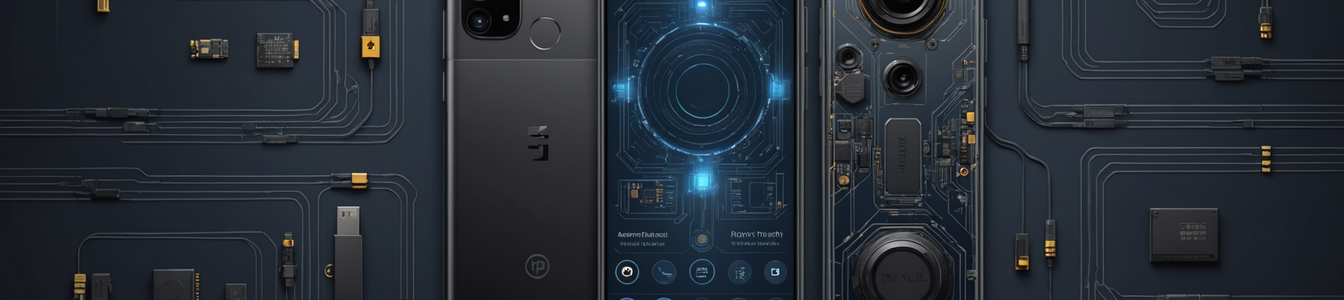
The cybersecurity landscape for mobile devices has long been dominated by discussions of app permissions, network vulnerabilities, and OS-level exploits. However, a more insidious category of risk is gaining prominence—one that lives in the intersection of user behavior, physical device misuse, and hidden hardware features. These threats operate outside the scope of traditional antivirus and endpoint detection, creating new challenges for security teams and individual users alike. This analysis uncovers four key behavioral and physical security blind spots that are quietly undermining mobile security postures globally.
The Overlooked Physical Threat: Thermal Damage from Phone Case Storage
A common yet hazardous practice involves using a smartphone case as a makeshift wallet. Users frequently store credit cards, metro passes, ID cards, and even cash between their phone and its protective case. While convenient, this habit introduces significant physical security risks. The primary danger is thermal. Smartphones generate heat during normal operation, particularly during charging, processor-intensive tasks, or prolonged use. Insulating the device with cards and paper traps this heat, preventing efficient dissipation. Chronic overheating accelerates battery degradation—a key component with a finite lifespan—and can stress other internal components like the CPU and display. This physical degradation can lead to premature device failure, data loss, and, in extreme cases, pose a fire risk. From a security perspective, a damaged or malfunctioning device is more vulnerable. It may force users to seek repairs from untrusted third parties, potentially exposing the device to hardware-level tampering or data theft. Furthermore, the practice of storing sensitive cards (like access badges or bank cards) in direct contact with a phone creates a single point of physical compromise; losing the phone means losing everything.
The Double-Edged Sword of Hidden Developer Features
Android and iOS contain numerous hidden settings, accessible through developer options or secret codes, intended for debugging and advanced configuration. One such feature, often promoted in online 'tips and tricks' guides, is forcing a smartphone into a 'tablet mode' by manipulating the minimum width DPI (Dots Per Inch) setting. This changes the display scaling, making UI elements smaller to mimic the multi-pane layout of a tablet, ostensibly improving multitasking. While this tweak can enhance productivity for some users, enabling such deep system-level modifications without understanding the consequences is risky. It can destabilize the user interface, cause app compatibility issues, and potentially expose the device to unintended behaviors that could be exploited. More critically, the very process of unlocking developer options and granting permission to modify system parameters lowers the device's security posture. It normalizes the bypassing of default security boundaries, potentially making users more susceptible to social engineering attacks that encourage further dangerous modifications. For cybersecurity professionals, this trend highlights a need to monitor not just for malicious apps, but for unauthorized changes to core system settings that could indicate preparatory steps for an attack or simply create an unstable, vulnerable environment.
The Menace of Counterfeit Hardware
The proliferation of counterfeit or 'clone' smartphones represents a profound hardware-level security threat. These devices, often sold at attractive discounts, are not merely inferior in quality; they are inherently compromised. They may contain unofficial, modified firmware with pre-installed backdoors, spyware, or vulnerable software components that will never receive security updates. The hardware itself can be substandard, using components that fail safety standards and, like in the first risk, are prone to overheating. Identifying a counterfeit device can be challenging for the average user. Telltale signs include discrepancies in build quality, misspellings in the official boot logo or settings menu, an inability to register the device with the manufacturer, failure to receive official OS updates, and benchmark performance scores that don't match the advertised specifications. The security implication is total: a user's data, communications, and authentication credentials are processed through a device whose entire stack—from hardware to operating system—is untrustworthy. This undermines every other security control, rendering strong passwords and encrypted communications potentially moot if the base platform is malicious.
The Persistence of Hidden Data and Residual Memory
Even security-conscious users who regularly delete files and clear app cache often overlook substantial amounts of hidden residual data. Operating systems and applications, particularly messaging apps like WhatsApp, create extensive background cache, temporary files, and thumbnail databases. This 'hidden memory' is not always addressed by standard cleanup tools. It can contain metadata, previews of deleted images, and other forensic artifacts that could be recovered if the device is lost, stolen, or subjected to a data recovery attack. Properly sanitizing a device requires more than deleting visible files; it involves navigating to specific storage management sections within the OS and individual apps to clear cached data, or using specialized, trusted tools designed for digital sanitization. The persistence of this data represents a data leakage risk, especially when selling, recycling, or repairing a device. It also complicates incident response, as forensic analysis of a device must account for these multiple layers of potential data storage.
Conclusion: A Call for Holistic Mobile Security
These four vectors—physical misuse, hidden feature exploitation, counterfeit hardware, and residual data—illustrate that the attack surface of a modern smartphone extends far beyond its software. Addressing these risks requires a paradigm shift in mobile security strategy. For organizations, security awareness training must expand to include physical device care and the dangers of modifying system settings. Mobile Device Management (MDM) solutions should be configured to detect and block the activation of developer options on corporate devices. Procurement policies must mandate devices from authorized, reputable suppliers to avoid counterfeit hardware. For individuals and professionals, vigilance is key: avoid using phone cases as storage, be skeptical of online guides promoting 'secret' settings, purchase devices only from official channels, and learn the proper procedures for thoroughly wiping data. In an era where the smartphone is a primary computing device, securing it demands a comprehensive approach that guards against threats from the silicon up to the user's own habits.
Comentarios 0
Comentando como:
¡Únete a la conversación!
Sé el primero en compartir tu opinión sobre este artículo.
¡Inicia la conversación!
Sé el primero en comentar este artículo.